Share the link
Share a reel, video or recipe page straight to Bananarium. You can also paste a link or text, or add 1 to 5 photos. The same link on your account will not create a duplicate or charge another BananaCoin.
 Bananarium
Recipes from reels · weekly plan · shopping list
From a reel to a recipe, a plan and your shopping list.
Bananarium is an iPhone app for saving recipes from Instagram, TikTok, YouTube and food blogs. Turn a link, text or photos into ingredients and steps, plan meals and build a shopping list.
10 BananaCoins to get started · no subscription · failed imports do not use a coin
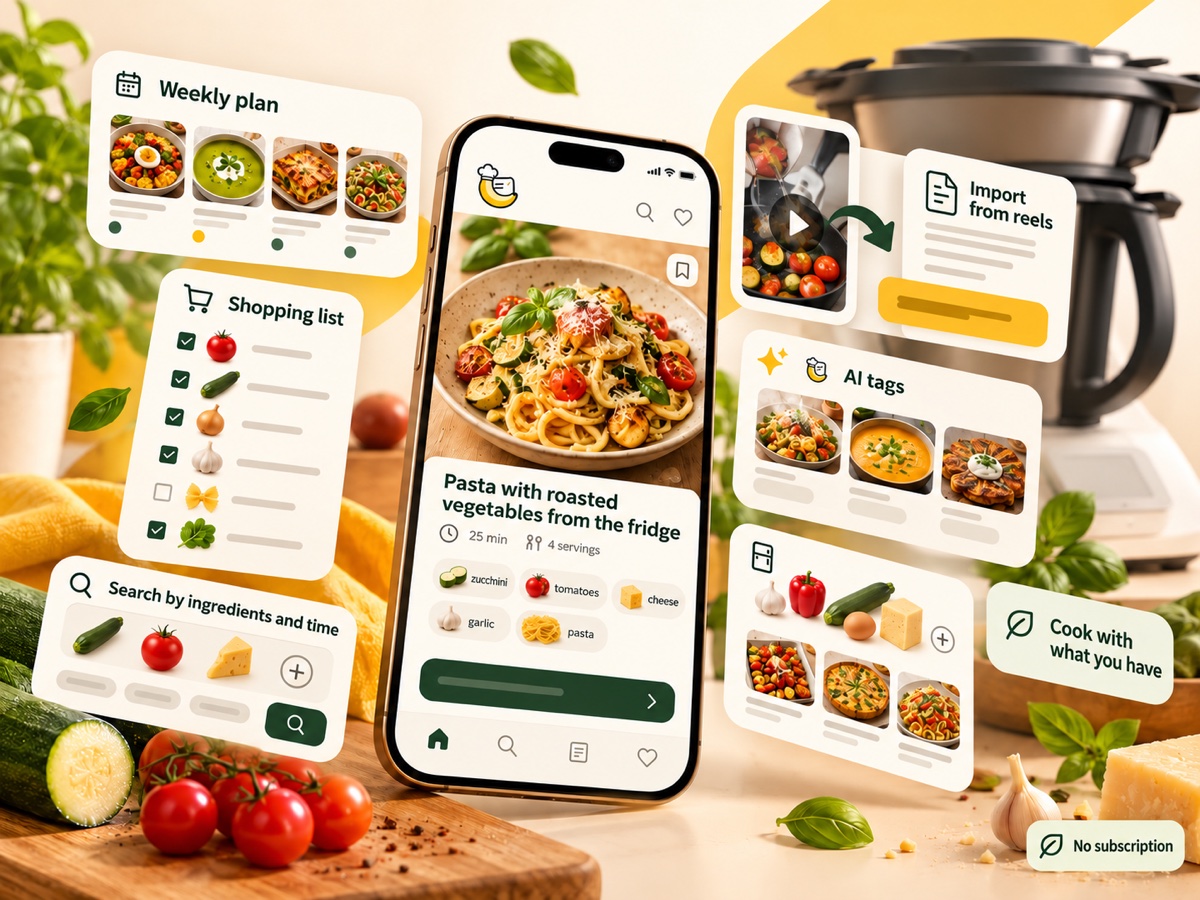
It could not be easier
No copying ingredients from captions and no pausing the video every few seconds.
Share a reel, video or recipe page straight to Bananarium. You can also paste a link or text, or add 1 to 5 photos. The same link on your account will not create a duplicate or charge another BananaCoin.
You get organised ingredients, steps, time and serving count — and you can edit everything to suit you.
Add a meal to your week, move the ingredients to a shopping list and cook step by step.
My recipes
+ AddYour private cookbook
All your inspiration goes into one collection. Even if the original post disappears, your saved recipe stays with you.
Weekly plan
Tap a recipe to cook · drag the handle to move it
▣ Copy previous weekPlanning and shopping
Plan breakfasts, lunches and dinners, then add the ingredients you need to your chosen shopping list without retyping them.
Best matches
We show the dishes that match most of your ingredients first.
Enter ingredients, find a recipe
Enter the ingredients you have on hand. Bananarium finds the best-matching recipes and shows only what you are missing.
Soak the rice paper in warm water until it becomes pliable.
Prepare the vegetables and place them in the centre of the sheet.
Set timer · 2 minCooking mode
Large, readable steps, ingredients always within reach and timers with notifications. The screen stays awake while you cook.
Thermomix® and Cookidoo® are trademarks of Vorwerk Group entities. Bananarium is an independent app and is not affiliated with, sponsored or endorsed by Vorwerk.
No monthly fee
The essential planning and cooking tools are free. You use BananaCoins only for new transformations.
Editing recipes, shopping lists, the weekly plan and cooking mode do not require a subscription.
If no finished recipe is produced, the reserved coin automatically returns to your account. Reusing the same link for an already saved recipe does not cost another BananaCoin.
Bananarium prepares an independent adaptation of the instructions with suggested times, temperatures and speeds. You can open the finished result in Cookidoo®.
 10 BananaCoins to get started· one-off packs · coins never expire
Questions and answers
From Instagram, TikTok, YouTube, Facebook, and public recipe websites and food blogs. You can also add text alone or 1 to 5 photos of pages or screenshots.
A BananaCoin is reserved while the import runs. If no finished recipe is produced, the coin automatically returns to your account.
If you use exactly the same link again on the same account, Bananarium opens the recipe you previously saved. It will not create a duplicate or charge another BananaCoin.
No. You buy BananaCoins in one-off packs. There is no automatic renewal, and purchased coins do not expire.
Yes. You can edit the title, ingredients, steps, time, serving count, notes and cover. It is your private copy of the recipe.
Yes. You can manually add 1 to 5 page photos, screenshots or dish photos with optional text. A successful import costs 1 BananaCoin. AI ranks the photos and we save the best one as the cover, which you can later change or remove. We delete the other uploaded copies after analysis.
Bananarium uses AI to prepare an independent adaptation of the instructions with suggested times, temperatures and speeds. It costs 1 BananaCoin, is charged separately from the import, and the finished result can be opened in Cookidoo®.
An iPhone, an internet connection and an Apple or Google account. Your collection is synchronised with your account, so it returns when you change phones.
Available on the App Store
Download Bananarium and start with 10 BananaCoins — no subscription required.
Download on the App Store